The Changelog
What's new around here?
Succinct and informative updates about Flux.
March 1, 2026
Timeline
Version ^2.13.0
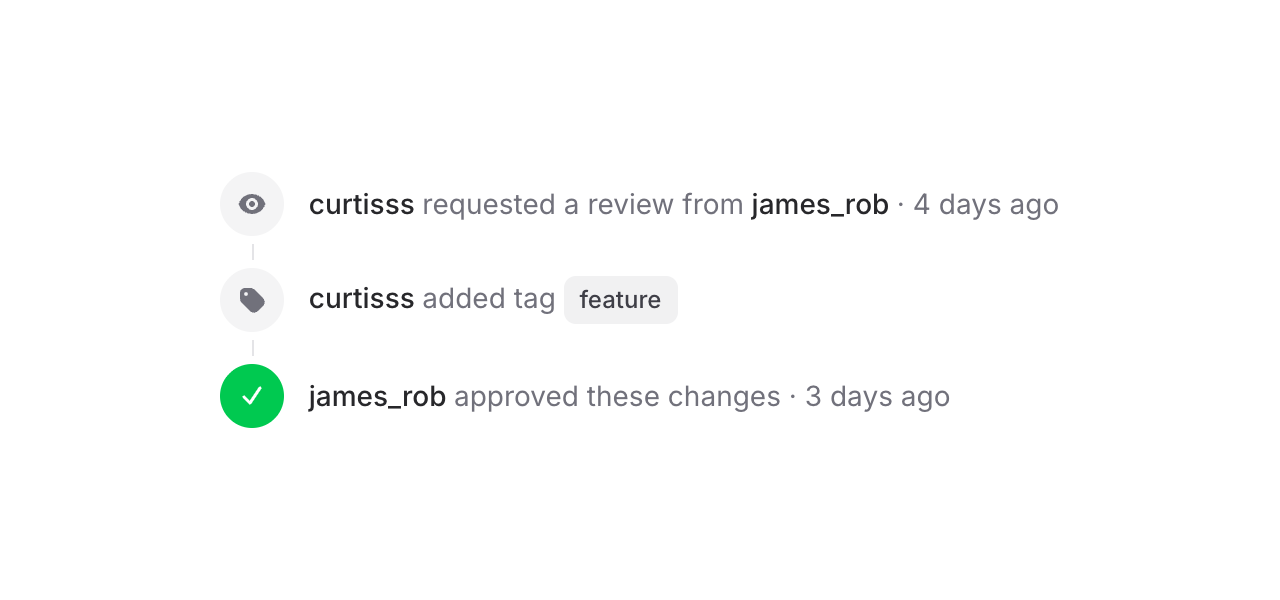
Flux's new Timeline component makes it easy to display a sequence of events or steps to your users. Check it out:
Copy to clipboard
<flux:timeline> <flux:timeline.item> <flux:timeline.indicator> <flux:icon.eye variant="micro" /> </flux:timeline.indicator> <flux:timeline.content> <flux:heading>curtisss <flux:text inline>requested a review</flux:text></flux:heading> </flux:timeline.content> </flux:timeline.item> <!-- ... --></flux:timeline>Each item has an indicator (icons, numbers, text — whatever you want) and a content area.
Vertical, horizontal, with status
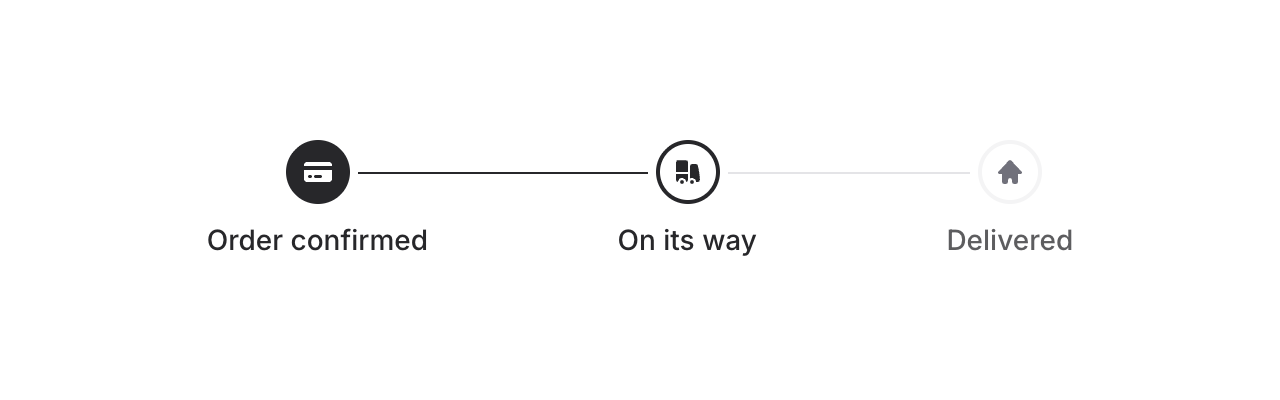
Add horizontal to flip the layout. Combine it with the status prop (complete, current, incomplete) to show progress — connector lines between items update automatically:
Copy to clipboard
<flux:timeline horizontal> <flux:timeline.item status="complete">...</flux:timeline.item> <flux:timeline.item status="current">...</flux:timeline.item> <flux:timeline.item status="incomplete">...</flux:timeline.item></flux:timeline>Baseline alignment
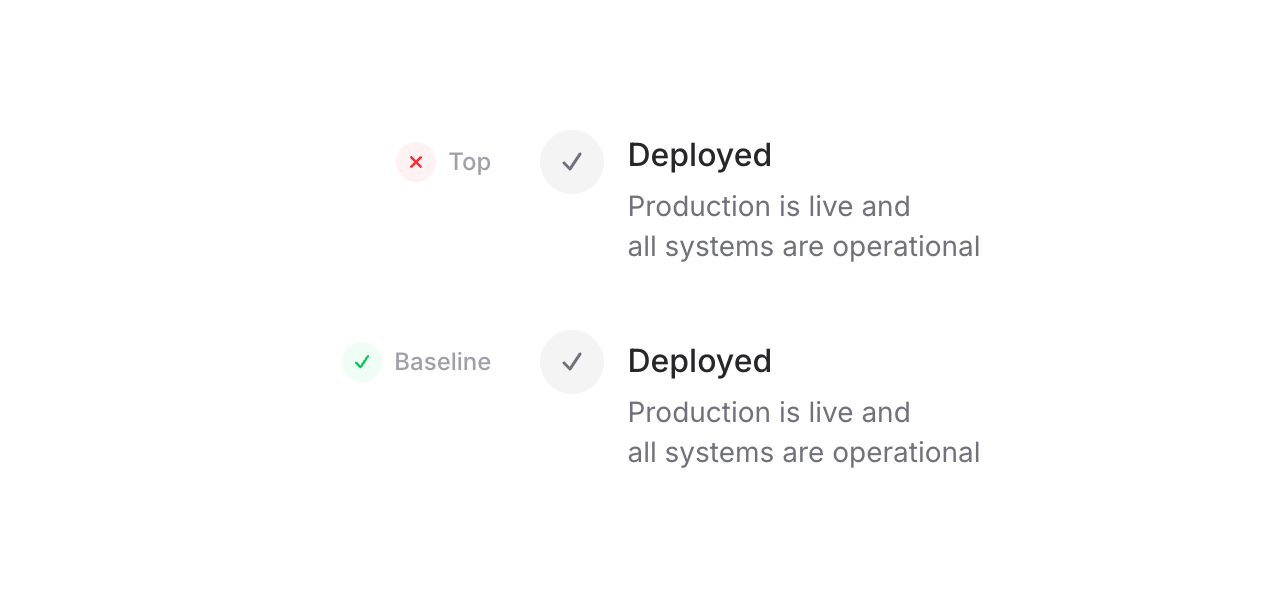
One detail we're particularly proud of: because the timeline uses CSS grid, we can align indicators to the baseline of the adjacent text — not top (too high), not center (too low), but right on the text baseline. For SVG icons, we even render an invisible text element inside the indicator solely to establish a proper baseline. It's a small thing, but it makes a real difference.
Copy to clipboard
<flux:timeline align="baseline"> <!-- ... --></flux:timeline>Embed anything with blocks
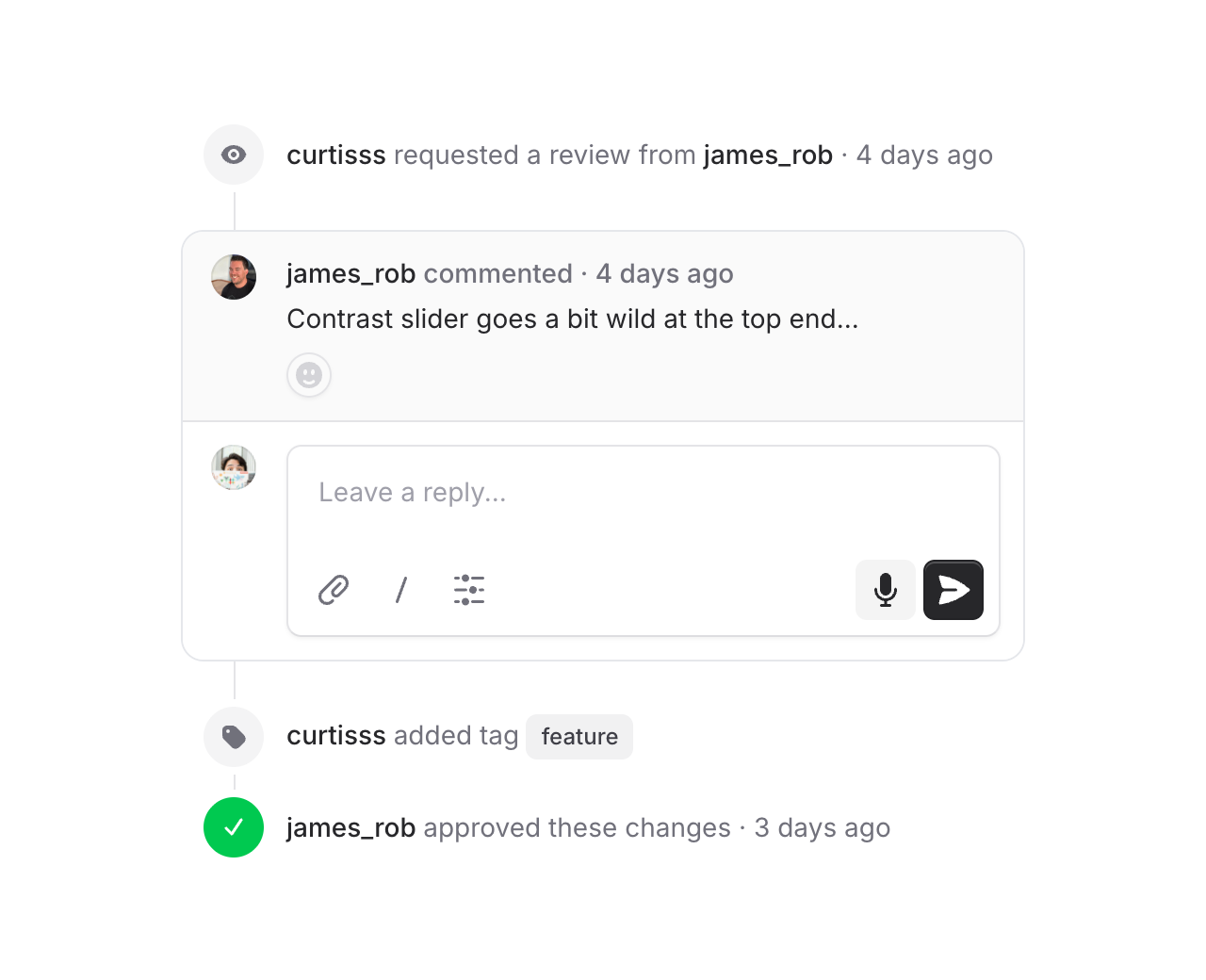
Use flux:timeline.block to drop full-width content into the timeline — callouts, cards, comment threads. Blocks go full-bleed while regular items stay slightly inset, so embedded content feels like it truly belongs in the flow. Connector lines attach directly to the block edges, and flux:timeline.subgrid lets content inside a block snap to the outer timeline's columns using CSS subgrid — so avatars, text, and indicators all stay perfectly aligned.
Accessibility
And of course, we went to great lengths to make sure this component honors expected keyboard navigation, focus behavior, and proper aria-labels so that screen readers can use it just as well.