# Datetime picker
Published: October 22, 2026
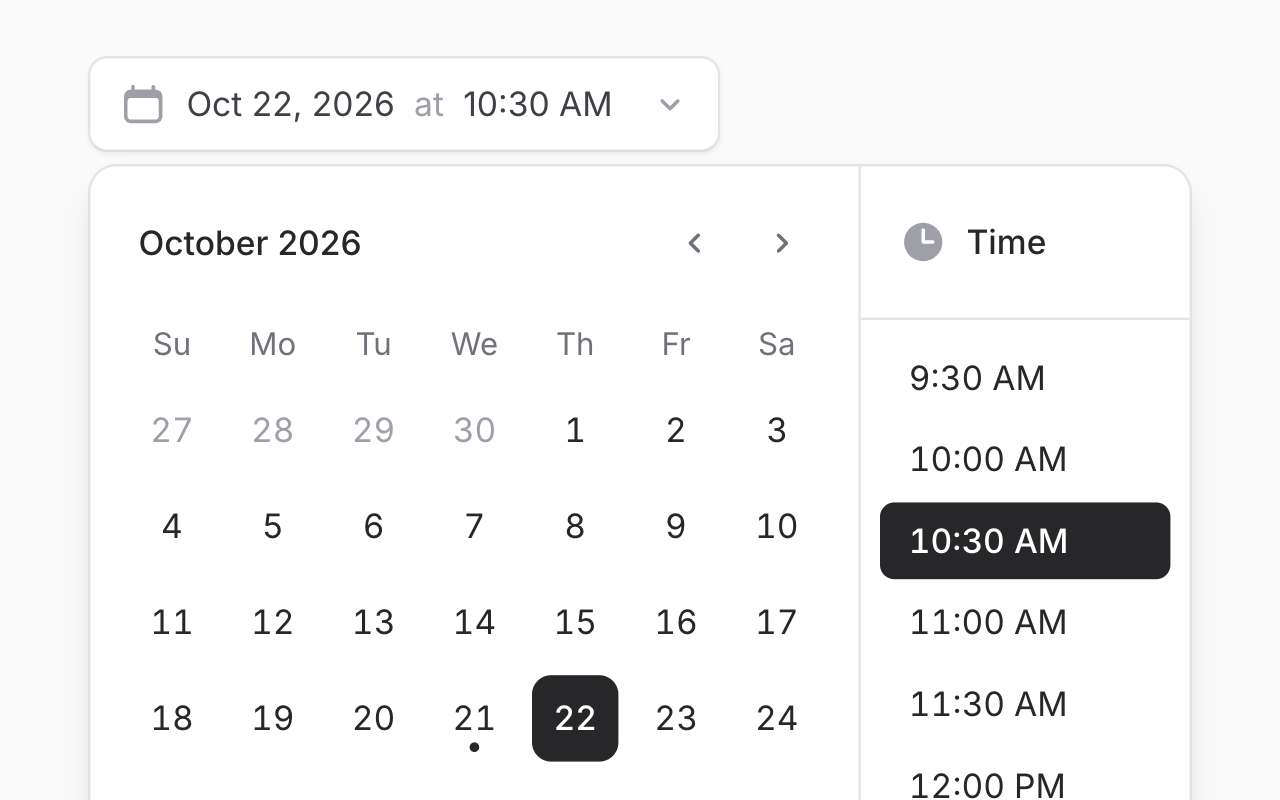 Meet the new **Datetime picker**: a date and a time, picked together from a single field. Perfect for scheduling events, publishing posts, setting reminders, or booking a window of time.
```blade
```
Choose a day from the calendar and a time from the list beside it. Picking a time closes the picker, and changing just the date updates the value straight away. No extra clicks.
On the Livewire side, type hint a `Carbon` property and you're done:
```php
public ?Carbon $startsAt;
```
## Made for mobile
Meet the new **Datetime picker**: a date and a time, picked together from a single field. Perfect for scheduling events, publishing posts, setting reminders, or booking a window of time.
```blade
```
Choose a day from the calendar and a time from the list beside it. Picking a time closes the picker, and changing just the date updates the value straight away. No extra clicks.
On the Livewire side, type hint a `Carbon` property and you're done:
```php
public ?Carbon $startsAt;
```
## Made for mobile
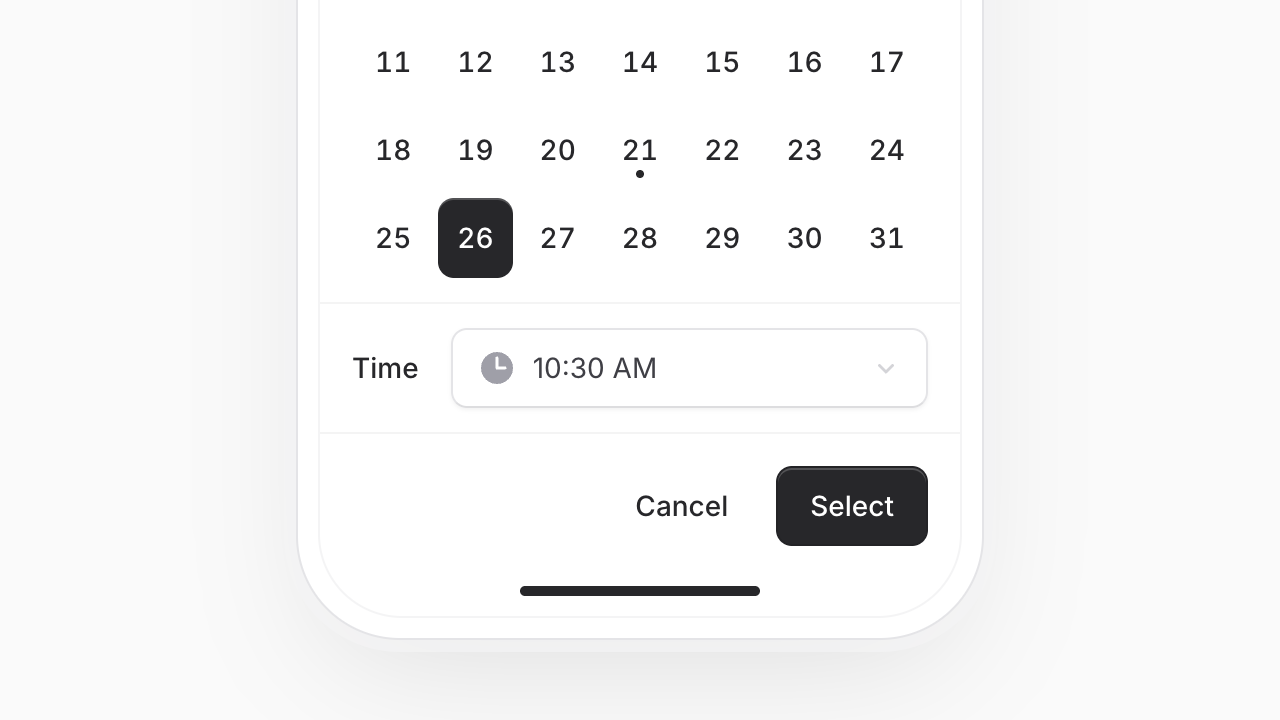 A calendar and a time list don't fit side by side on a phone, so on small screens the time moves into a dropdown below the calendar. Selections are confirmed with a "Select" button, so a stray tap never changes the value.
## Ranges, with a time on each end
A calendar and a time list don't fit side by side on a phone, so on small screens the time moves into a dropdown below the calendar. Selections are confirmed with a "Select" button, so a stray tap never changes the value.
## Ranges, with a time on each end
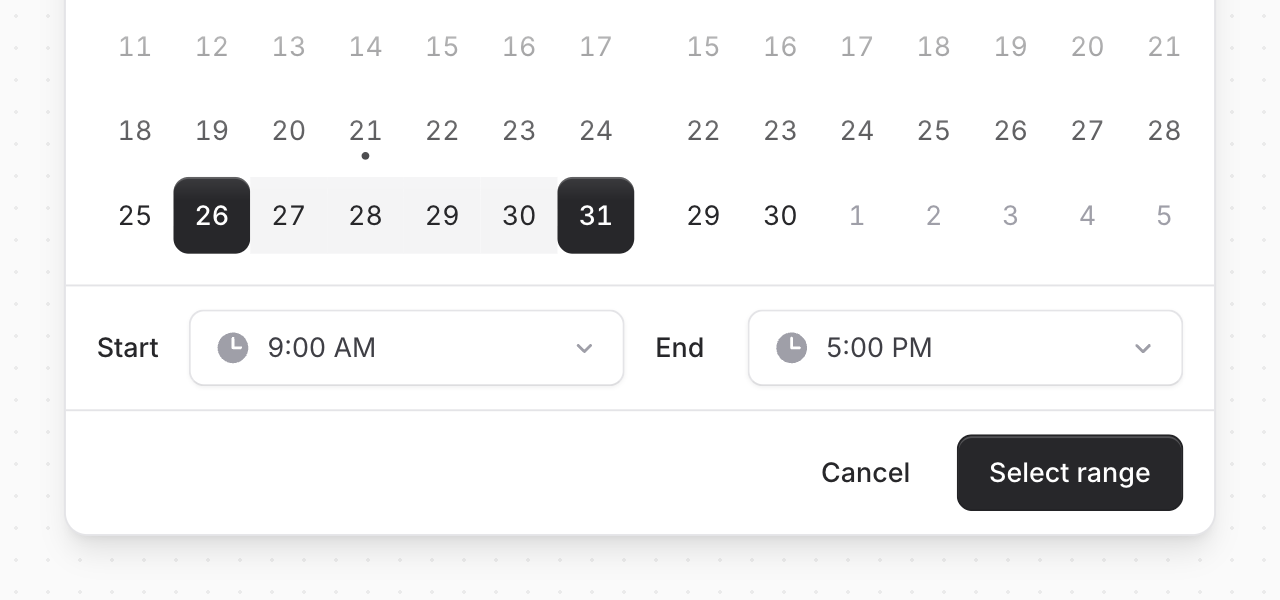 Add `mode="range"` for event schedules, maintenance windows, or bookings. Each end of the range gets its own time, and the range is applied when "Select range" is pressed:
```blade
```
Bind it to a `Flux\DateTimeRange` and you get `Carbon` instances for the start and end. It's a `CarbonPeriod` under the hood, so you can pass it straight to `whereBetween()`:
```php
$deploys = Deploy::whereBetween('deployed_at', $this->schedule)->get();
```
When most ranges share the same hours, set them once with `default-time` and users only need to pick dates:
```blade
```
[Learn more about range mode →](https://fluxui.dev/components/datetime-picker#range-picker)
## Business hours and booked slots
Use `min` and `max` to limit which dates can be picked, and `min-time` and `max-time` to limit the times of day. Together they cover things like "any future time between 9 AM and 5 PM":
```blade
```
The `unavailable` prop blocks out whole days, the same times on every day, or individual slots on a specific day. You can mix them freely:
```blade
```
It also takes an array of `Carbon` instances, so blocking out existing bookings is one line:
```blade
```
[See every way to restrict times →](https://fluxui.dev/components/datetime-picker#unavailable-dates-and-times)
## Down to the minute
The time list steps in 30-minute intervals by default. Change it with `interval`, or set `time="input"` when users need to type an exact time. The input still suggests times in a dropdown:
```blade
```
## All. The. Details.
**Localized**: Month names, weekdays, date formats, and the 12 or 24-hour clock follow the user's locale. Override them with `locale` and `time-format`.
**Your calendar options**: Everything you know from the date picker works here too, like `with-today`, `selectable-header`, `week-numbers`, and `start-day`.
**Bring your own trigger**: Open the picker from any button using the `trigger` slot. Handy for a "Schedule" button in a toolbar.
**Wall-clock times**: The value works like a native `datetime-local` input, `2026-10-14T10:30`, with no hidden timezone conversions.
And of course, we went to great lengths to make sure this component honors expected keyboard navigation, focus behavior, and proper aria-labels so that screen readers can use it just as well.
Datetime picker is available in **Flux Pro v2.21.0**.
---
[Check out the datetime picker docs →](https://fluxui.dev/components/datetime-picker)
Add `mode="range"` for event schedules, maintenance windows, or bookings. Each end of the range gets its own time, and the range is applied when "Select range" is pressed:
```blade
```
Bind it to a `Flux\DateTimeRange` and you get `Carbon` instances for the start and end. It's a `CarbonPeriod` under the hood, so you can pass it straight to `whereBetween()`:
```php
$deploys = Deploy::whereBetween('deployed_at', $this->schedule)->get();
```
When most ranges share the same hours, set them once with `default-time` and users only need to pick dates:
```blade
```
[Learn more about range mode →](https://fluxui.dev/components/datetime-picker#range-picker)
## Business hours and booked slots
Use `min` and `max` to limit which dates can be picked, and `min-time` and `max-time` to limit the times of day. Together they cover things like "any future time between 9 AM and 5 PM":
```blade
```
The `unavailable` prop blocks out whole days, the same times on every day, or individual slots on a specific day. You can mix them freely:
```blade
```
It also takes an array of `Carbon` instances, so blocking out existing bookings is one line:
```blade
```
[See every way to restrict times →](https://fluxui.dev/components/datetime-picker#unavailable-dates-and-times)
## Down to the minute
The time list steps in 30-minute intervals by default. Change it with `interval`, or set `time="input"` when users need to type an exact time. The input still suggests times in a dropdown:
```blade
```
## All. The. Details.
**Localized**: Month names, weekdays, date formats, and the 12 or 24-hour clock follow the user's locale. Override them with `locale` and `time-format`.
**Your calendar options**: Everything you know from the date picker works here too, like `with-today`, `selectable-header`, `week-numbers`, and `start-day`.
**Bring your own trigger**: Open the picker from any button using the `trigger` slot. Handy for a "Schedule" button in a toolbar.
**Wall-clock times**: The value works like a native `datetime-local` input, `2026-10-14T10:30`, with no hidden timezone conversions.
And of course, we went to great lengths to make sure this component honors expected keyboard navigation, focus behavior, and proper aria-labels so that screen readers can use it just as well.
Datetime picker is available in **Flux Pro v2.21.0**.
---
[Check out the datetime picker docs →](https://fluxui.dev/components/datetime-picker)